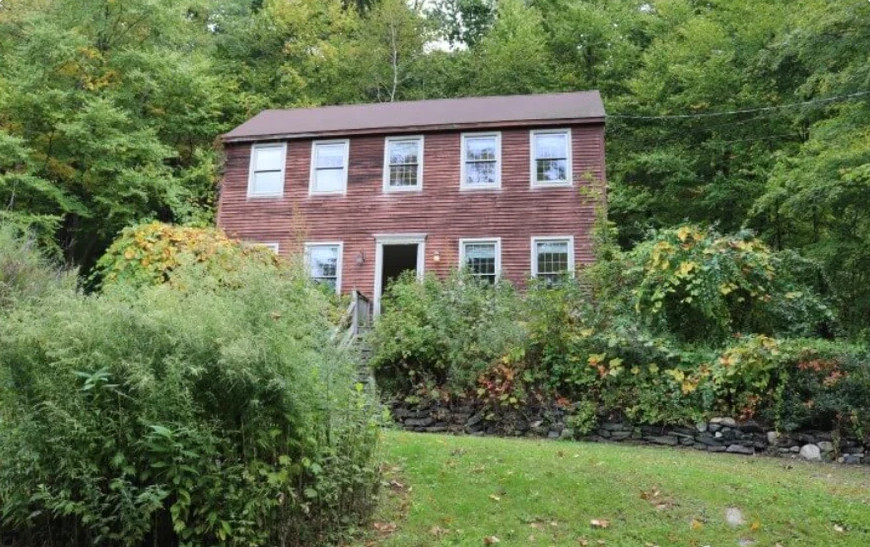
Get paid to photograph properties near you.

Real estate investors need eyes on houses they can’t get to. As a Scout you take the photos the app asks for, in the area and hours you choose, and you see exactly what you earn before you accept.

Scout opens one market at a time. Apply now to be first in yours.

REILink ScoutNew EstiMate Walkthrough7.9 mi away, about 75 min on siteYou earn

Your car + your phone + a free afternoon = paid.

You don’t need to know anything about real estate. You need to show up, follow the checklist and take good photos.

  • Your car

    Drive to properties in the area you choose. Travel past the included miles is paid on top.

  • Your phone

    The Scout app shows every photo to take. Photos stay on the phone until they reach REILink, signal or not.

  • A free afternoon

    Pick your days and hours. A visit takes about 20, 45 or 75 minutes on site.

  • Paid

    Every offer shows what you earn before you accept, guaranteed once you do.

Three kinds of visit. Three levels.

Everyone starts with exterior checks. Each level unlocks a longer visit with its own pay. Your qualifications show in the app.

123

Level 1Scout (exterior)

Exterior Property Check

About 20 min on site

Photos of the outside from the street and other authorized spots: every side, the roofline, the yard, windows and doors. Nobody goes inside.

  • What it takes
  • Identity check
  • Training: Safety and conduct
KitchenBathroomLiving roomEntryBedroomBedroom12345

Level 2Verified Interior Scout

Interior Property Walkthrough

About 45 min on site

A guided walkthrough inside, room by room. The homeowner gets your photo and Scout ID first and confirms entry at the door.

  • What it takes
  • Everything for exterior checks
  • Training: Interior visits and property access
  • Background screening
  • Your profile photo, approved
Kitchen15 ft12 ftRepair estimateKitchen, by line

Level 3EstiMate Certified Scout

EstiMate Walkthrough

About 75 min on site

The interior walkthrough plus room sizes and repair notes, which EstiMate turns into a priced repair estimate.

  • What it takes
  • Everything for interior walkthroughs
  • EstiMate guided capture, certified by our team

How you earn.

Every offer shows what you earn, line by line, before you accept. Amounts are set at launch.

  • A set amount for each visitEvery kind of visit has its own pay, shown as the first line of the offer.
  • Travel past the included milesRound-trip miles from your area to the property, past the miles included, are paid on top as their own line: “Travel (6 extra round-trip miles)”.
  • Guaranteed before you accept“Guaranteed for this visit. It does not change after you accept.”
  • Approved when the visit passes reviewPay is approved for payout once quality review passes. For an EstiMate Walkthrough, once the report is ready. The app tells you when it is.
  • Paid when a visit can’t go aheadNobody lets you in, the homeowner says no, or it’s the wrong house: you get show-up pay plus travel. If the customer cancels after you accepted, you’re paid for that too, and more when it’s late.
Offer
EstiMate Walkthrough
Expires in 2:41
You earn
EstiMate Walkthrough
Travel (6 extra round-trip miles)
Guaranteed for this visit. It does not change after you accept.
Where
Hartford, CT (7.9 mi from your area)
When
Tue, Sep 29, 1:00 PM – 3:00 PM
On site
About 75 minutes
Property
Occupied
The exact address, access details and the customer’s notes appear once you accept.
Accept
Decline
Declining needs no reason and never counts against you.
Amounts are set at launch.
An offer in the Scout app.

Your earnings

  • Ready for payout
  • Under review
  • In a payout
  • Paid

The four totals on the app’s earnings screen.

Your area. Your hours.

You choose where and when. Offers come to your phone, and you pick the ones you want.

Your areaUp to 20 miles

REILink Scout

REILink Scout: New EstiMate Walkthrough • 7.9 mi away • Tue, Sep 29, 1:00 PM – 3:00 PM • approx. 75 min onsite • You earn

  • Your area“Set the centre of your area from where you are now (usually home).” Then choose how far you’ll go: 1 to 50 miles.
  • Your days and hoursPick the days and the hours you can take visits. Change them any time in the app.
  • Offers come by textEach one says what the visit is, how far, when, how long on site and what you earn. Open the app to see the full offer.
  • First to accept gets itOffers last a few minutes. If someone else takes it first, the app tells you.
  • Say no whenever you like“Declining needs no reason and never counts against you.”
  • Never double-bookedYou can’t hold two visits at the same time: the app stops it.

Getting started.

Four steps from applying to your first offer. The app shows what’s left at every step.

  1. Apply.Your name as it appears on your ID, a mobile number for job offers, your area and your hours. Right here, or in the Scout app.
  2. Add your profile photo.Take it in the app: face the camera, in good light. Once approved, homeowners see it before you arrive.
  3. We check, you train.“Our team verifies your identity, runs background screening where interior work requires it, and sets up your payouts.” You take the training in the app.
  4. You’re active.You get a text: “Your Scout profile is active. You can now receive job offers.”
Become a Scout
Dana Reyes
Scout ID SC-4H7QXD
Still to do: Training: Interior visits and property access · Payout setup
Mobile+18605550119
Profile photo
Approved. Homeowners see this photo before you arrive.
With our team
Identity checkDone
ScreeningIn progress
PayoutsNot started
Our team contacts you for these.
Your profile in the Scout app while you set up.

Training, built in. And free.

Two short modules in the app, quoted here in full, and a checklist that tells you every photo on every visit. You never buy anything to work: no software, training, gear or kit.

Module 1

Safety and conduct

  • You always have a visible End visit / Safety issue path during a visit.
  • Leave the unsafe environment first; incident details can be completed once safe.
  • Be professional, respectful and non-confrontational.
  • Do not make promises about purchase price, repairs, property value, closing or investor decisions.
Read all 16 points
  1. You always have a visible End visit / Safety issue path during a visit.
  2. Selecting a serious safety issue immediately stops ordinary job requirements; you are not required to finish photos before leaving.
  3. Leave the unsafe environment first; incident details can be completed once safe.
  4. For immediate danger, contact local emergency services (911). REILink is not an emergency response service.
  5. Safety exits trigger incident review and do not automatically damage your reliability.
  6. Stop and use the app when: the address or property does not match; the person at the property does not recognize the visit; entry is refused; nobody answers, the lockbox fails or the key is unavailable; a property expected vacant appears occupied; a threatening or unsafe person, an aggressive animal, a weapon or immediate threat, or a structural or environmental hazard; you are asked to trespass, surveil someone, remove property, open private containers, misrepresent your identity or do anything prohibited; a medical or personal emergency.
  7. Be professional, respectful and non-confrontational.
  8. Do not open drawers, cabinets containing personal items, safes, medicine cabinets, personal containers or other private storage unless the specific job workflow lawfully requires a particular building component and the approved instructions explicitly permit it.
  9. Do not handle cash, jewelry, medication, weapons, personal documents or unrelated personal property.
  10. Do not photograph people unnecessarily. Avoid capturing sensitive personal information when it is not required for the job. Capture only what is reasonably necessary to complete the assigned deliverable.
  11. Do not use the visit to solicit the homeowner for unrelated business, attempt to buy the property personally, or move the relationship off-platform.
  12. Do not bring unapproved guests or assistants into the property.
  13. Do not smoke, vape, consume alcohol or drugs, or arrive impaired.
  14. Do not make promises about purchase price, repairs, property value, closing or investor decisions.
  15. Do not diagnose regulated or specialist conditions beyond the permitted Scout/EstiMate documentation workflow.
  16. Never reuse or post a homeowner’s interior photos.

You confirm: “I have read these and will follow them.”

Module 2

Interior visits and property access

  • Arrive at the correct property and check in through the app.
  • Do not enter merely because the appointment exists.
  • The authorized person can verify your identity using their notification, verification page or your badge.
  • Confirm the person granting access is the expected authorized contact, or follow the approved exception process.
Read all 10 points
  1. Arrive at the correct property and check in through the app.
  2. Do not enter merely because the appointment exists.
  3. The authorized person can verify your identity using their notification, verification page or your badge.
  4. Confirm the person granting access is the expected authorized contact, or follow the approved exception process.
  5. Start the guided job only after access is confirmed in the app.
  6. Remain within the assigned areas and follow the capture instructions.
  7. Vacant or lockbox properties: verify the property and address before using the access method. Never share lockbox or access credentials outside the platform or keep them for future use.
  8. If a property marked vacant appears occupied, do not enter: report an occupancy conflict. If the lock or access method fails, report no access rather than improvising.
  9. No forced entry, bypassing locks, climbing through openings, following another person inside, or entering areas outside the authorized scope.
  10. At the end: review the required evidence, submit, confirm all authorized areas are left as found, follow the lock / re-secure checklist for vacant or lockbox jobs, and confirm departure in the app.

You confirm: “I have read these and will follow them.”

Level 3

EstiMate guided capture

For EstiMate Walkthroughs our team certifies you on guided capture: room sizes, your finish level and repair candidates, each tied to its photos.

Checklist
Rooms: 3 bedrooms, 1 bathroom Change
Exterior
Front of the house (whole front elevation)
From the sidewalk or street. Never enter fenced, gated or posted areas.
2 photos
Add anotherCan't capture
Roofline (from the ground)
Never climb. Photograph what is visible from the ground.
2 photos
Add anotherCan't capture
Rear
Only if visible from an authorized spot. Otherwise mark it not accessible.
Marked: Not visible or reachable from an authorized spot
I can capture it after all
Bedroom 1
Bedroom 1: wide view
0 photos · needs 1
Take photoCan't capture
5 items still need attention.
Review and submit
End visit / Safety issue
The Scout app’s checklist. Safety is always one tap.

On a visit.

The app walks you through it, start to finish.

  1. Start travel.“Tap when you set off. The customer sees that you’re on the way.”
  2. Check in.At the house, confirm the house number and street match. The lockbox code, when there is one, shows only now.
  3. Wait for the homeowner.On inside visits: “Wait at the door. Don’t go in until this screen says access is confirmed.” The homeowner checks your photo and Scout ID on their phone and taps Confirm entry.
  4. Follow the checklist.Every photo the visit needs, with how to take it. Anything you can’t capture gets an approved reason. Photos stay on your phone until they reach REILink, signal or not.
  5. Submit, and leave it as you found it.Then confirm in the app: “Every area I visited is left as I found it”.
REILink ScoutScout IDSC-4H7QXDVALID FOR THIS VISITDana R.SC-4H7QXDIdentity verified by REILinkThe person matches.Confirm entryDeny entrySame Scout ID
At the door: your badge carries your Scout ID and a QR code; the homeowner checks the same ID on their phone.

Safe by design.

If something feels wrong, you leave. The app is built around that.

  • Always one tap awayEnd visit / Safety issue is on screen from the moment you start travel until you leave.
  • Leave first, explain later“You never have to finish photos first.” Add the details once you’re somewhere safe.
  • Never held against you“A stop for safety never counts against you.”
  • Call 911 from the appThe safety screen has a Call 911 button. REILink is not an emergency service.
  • The homeowner knows you’re comingThey get your photo and Scout ID before the visit, and confirm entry on their own phone at the door.
  • Lockbox codes, only at the houseA code shows once you’ve checked in at the property, for that visit only.
  • Your number stays privateCustomers never see your phone number or email. Messages go through REILink, with contact details taken out.
Visit
End visit / Safety issue
If you feel unsafe, leave now. You never have to finish photos first. If anyone is in immediate danger, call 911: REILink is not an emergency service. Call 911
Stop for safety
Threatening or unsafe person
Aggressive animal
Weapon or immediate threat
Structural or environmental hazard
Asked to do something prohibited
Medical or personal emergency
The visit can’t go ahead
Wrong property: address or house doesn’t match
Person at the property doesn’t recognize the visit
Entry refused
Nobody answered / can’t get in
One tap away on every screen of a visit.

The rules.

Short, and the same on every visit. They protect the homeowner, the customer and you.

Never climbRoofs and attics are photographed from the ground, or not at all.
Never through a windowDon’t look or photograph through windows.
Never into private thingsNo drawers, medicine cabinets, safes or cabinets with personal items.
Never open the panelEquipment is photographed from the outside only.
Flag, don’t diagnoseDescribe what you see and point to the photo. Pricing is EstiMate’s job.
Never skip silentlyIf you can’t capture something, mark it with an approved reason.
Leave it as you found itEvery area you visited, and the lockbox locked with the key back in it.
Never pose as an officialScouts are never government officials, inspectors or utility workers.

What counts, and what never does.

Reliability is part of how Scouts are ranked for offers. Here is exactly what goes into it.

Never counts against you

  • Declining an offer, or letting one expire
  • A stop for your safety
  • A check-in away from the pin: it’s reviewed, never penalized automatically
  • Problems caused by the customer or by REILink

What counts

  • Cancelling a visit you accepted
  • Not showing up, which counts double
  • Items quality review sends back
  • Your ratings: customers rate professionalism, being on time and the quality of the results

What you need.

  • 18 or older
  • A car and a valid driver’s license
  • A smartphone with a camera and location on, for the Scout app
  • A mobile number for job offers by text
  • An identity check, and background screening for inside visits
  • A REILink account
  • No real estate experience: the app shows you every photo to take
  • Nothing to buy: no software, training, gear or kit

Questions.

Do I need real estate experience?

No. The app shows you every photo to take and how to take it. Scouts describe what they see; pricing is EstiMate’s job.

Does it cost anything to become a Scout?

No. You never buy anything to work: no software, training, gear or kit.

How much will I earn?

Every offer shows exactly what you earn before you accept: the visit’s own pay, plus travel past the included miles. Amounts are set at launch.

When do I get paid?

Your pay is approved for payout once the visit passes quality review, and for an EstiMate Walkthrough once the report is ready. Payouts go to the payout account you set up with our team, and the app tells you when one is sent.

Do I have to take every offer?

No. Declining needs no reason and never counts against you.

What if nobody lets me in?

Use End visit and choose what happened: nobody answered, entry refused, the lockbox or key didn’t work. When a visit can’t go ahead like that, you get show-up pay plus travel.

What if I feel unsafe?

Leave. End visit / Safety issue is on every screen, you never have to finish photos first, and a stop for safety never counts against you. If anyone is in immediate danger, call 911.

Is there a background check?

Every Scout has an identity check. Background screening is for inside visits: the Verified Interior Scout level and up.

Who sees my information?

Customers see your name as shown on your profile (like Dana R.), your Scout ID, your approved photo, your rating and how many visits you’ve done. Homeowners see your name, photo and Scout ID. Neither sees your phone number or email.

Where is Scout available?

Scout opens one market at a time. Apply now, and you’re ready when it opens near you.

Apply to be a Scout.

About two minutes. The same application as the Scout app.

  1. Our team contacts youAbout the identity check, background screening for inside visits, and your payouts.
  2. You finish in the Scout appYour profile photo, the two agreements and the training.
  3. You get a text“Your Scout profile is active. You can now receive job offers.”
About you
Where you’ll take visits

Set the centre of your area from where you are now (usually home). You can also set it later in the app.

When you can take visits
Confirm

You read and accept the Scout Provider Agreement and the Scout Safety and Conduct Rules, and take the training, in the Scout app.